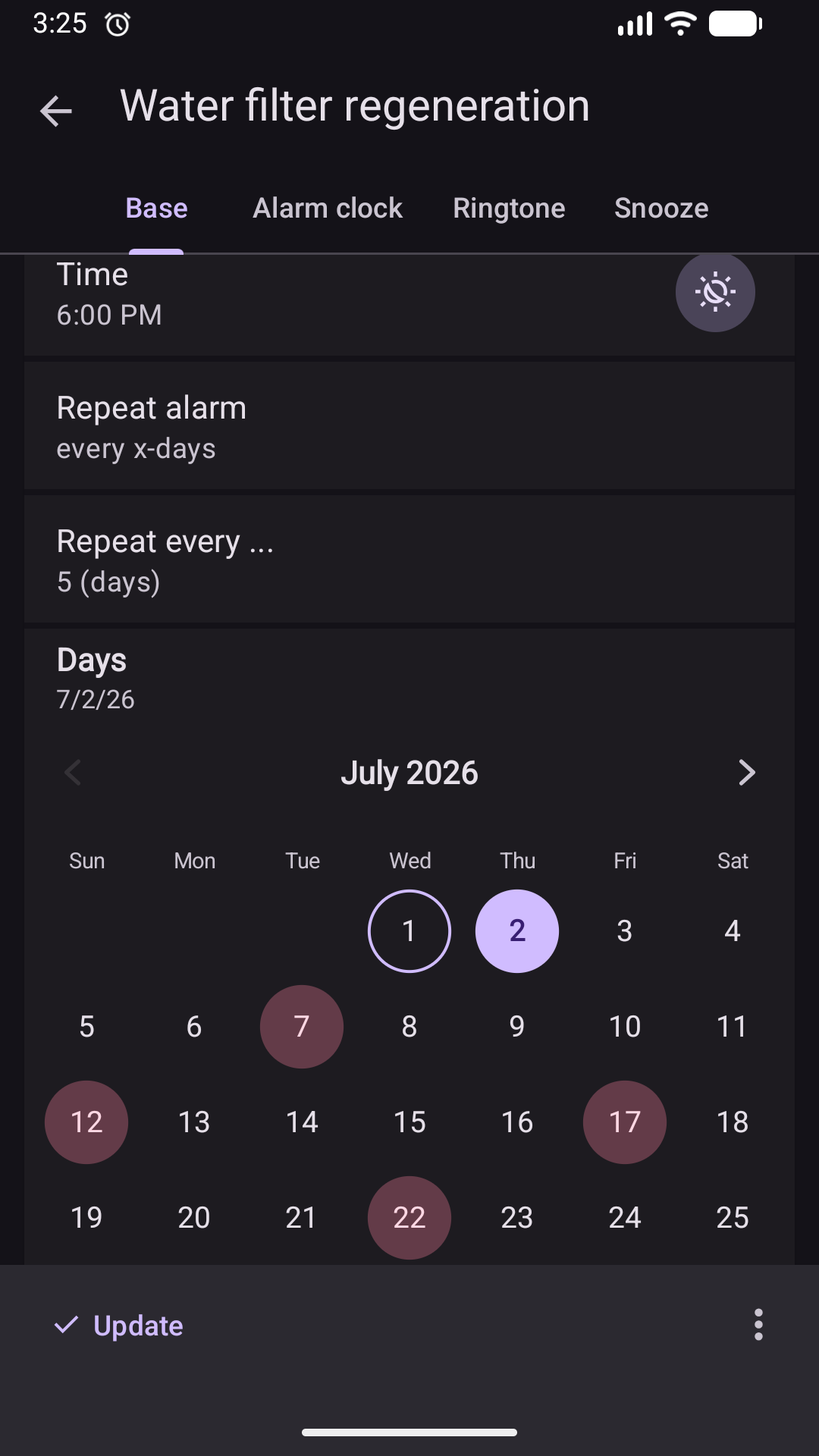
Recurring alarm problem: I can't manually skip the future alarm

Mam aktywny alarm cykliczny co 1 miesiąc, 5 dni: 11-15.
Wyobraźmy sobie, że dziś jest 13 lipca i chcę ręcznie pominąć alarmy z dnia 14 i 15 lipca. Wchodzę w menu tego alarmu, wybieram “Pomiń alarm”, widzę kalendarz na lipiec, ale w dniu 14 i 15 lipca nie ma aktywnego alarmu, nie mogę go pominąć :scream: Co się stało?
Wychodzę stamtąd i wchodzę w ustawienia tego alarmu, wybieram “Dni” i widzę kalendarz na lipiec i zaznaczone 14 i 15 lipca. Chcę te dni odznaczyć, aby usunąć, ale nie mogę!!! Cofam kalendarz do czerwca i… widzę dni 14 i 15 czerwca zaznaczone i te już mogę usunąć :scream: I już wiem, dlaczego nie mogłem usunąć 14 i 15 lipca - bo to były powtórzenia alarmu z czerwca!

Dlaczego 14 i 15 czerwca się nie usunęły, gdy wyłączyłem w tych dniach ten alarm lub go pominąłem ręcznie? Nie wiem i to jest zadanie dla dewelopera, żeby ten błąd naprawić.

Dodaję, że ten alarm mam już kilka lat, a te problemy od około kilku lub kilkunastu tygodni…
Mam teraz wersję aplikacji 15.9.1 pro. Android 16.

Ten sam problem napotkałem też w innych alarmach cyklicznych co 1 miesiąc.

English translation:

I have an active recurring alarm every month, 5 days: 11-15.

Let’s imagine that today is July 13th and I want to manually skip the alarms for July 14th and 15th. I go to the alarm menu, select “Skip Alarm,” and see the calendar for July, but there are no active alarms for July 14th and 15th; I can’t skip them. :scream: What happened?
I exit there and go to the alarm settings, select “Days,” and see the calendar for July, with July 14th and 15th selected. I want to deselect these days to delete them, but I can’t! I roll back the calendar to June and… see June 14th and 15th selected, and I can delete those. :scream: Now I know why I couldn’t delete July 14th and 15th—because they were repeats of the June alarm!

Why didn’t June 14th and 15th get deleted when I turned off or manually skipped the alarm on those days? I don’t know, and it’s up to the developer to fix this bug.

I should add that I’ve had this alarm for several years, and these problems have only been present for a few weeks or so…
I’m currently running app version 15.9.1 pro, Android 16.

I’ve also encountered the same problem with other monthly recurring alarms.

Best regards
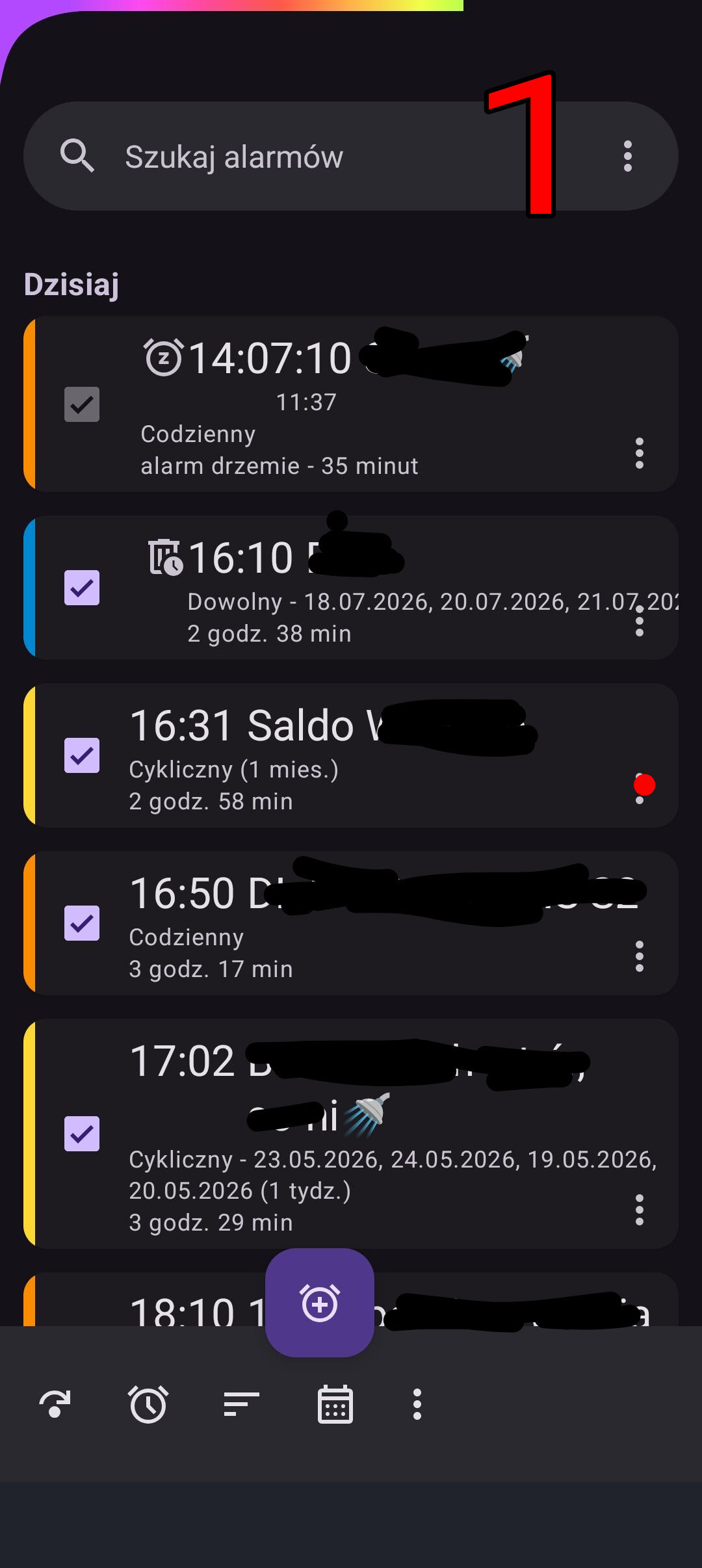
Pokażę, jak to wygląda na prawdziwym alarmie.
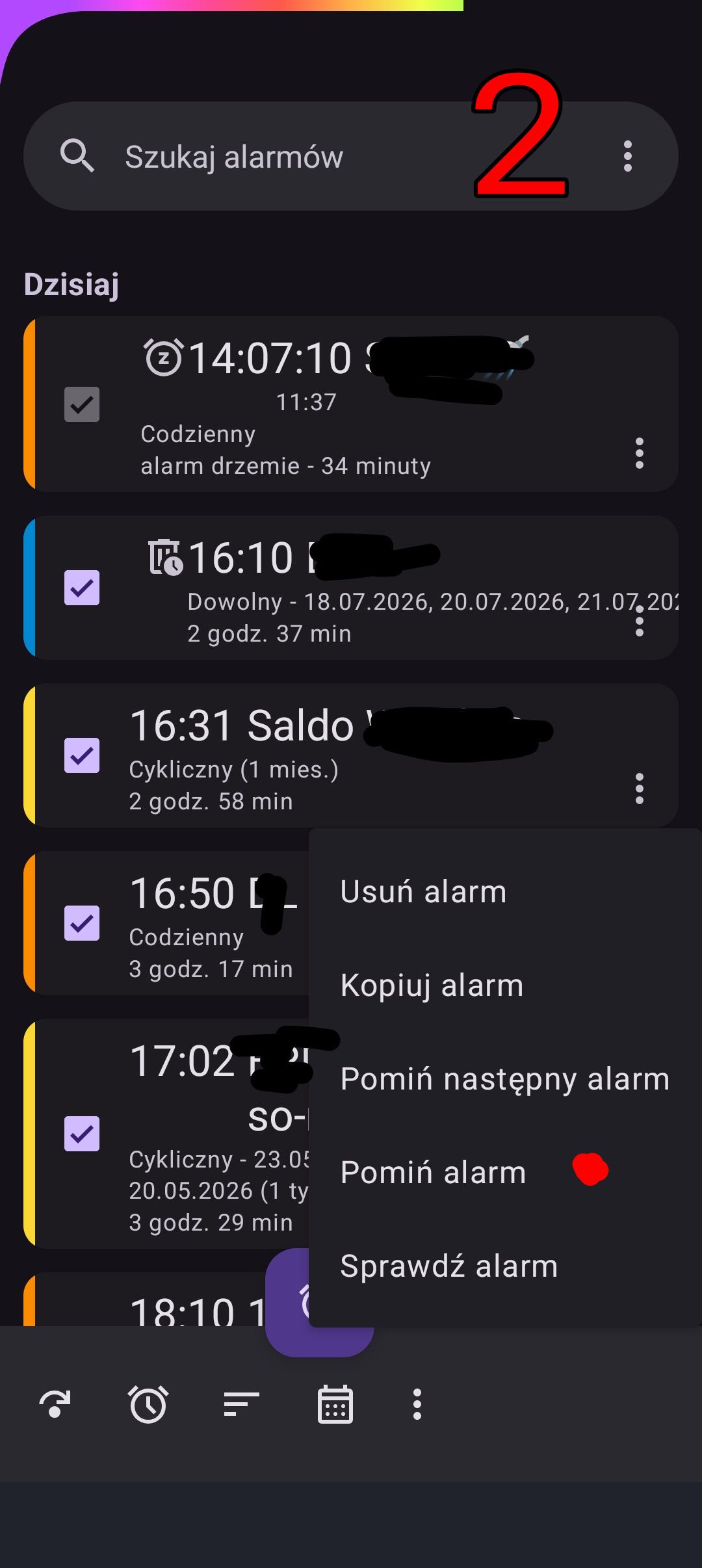
Chodzi o alarm cykliczny o godz. 16:31, 18 lipca “Saldo W…”. Ustawiony jest na “co 1 miesiąc”, w dniach 16-21.

Opis dotyczy sytuacji z 18 lipca godz. ok. 14:00. Chcę TERAZ pominąć ten DZISIEJSZY alarm o godz. 16:31!

  1. Na liście alarmów (fot. 1) klikam w 3 kropki

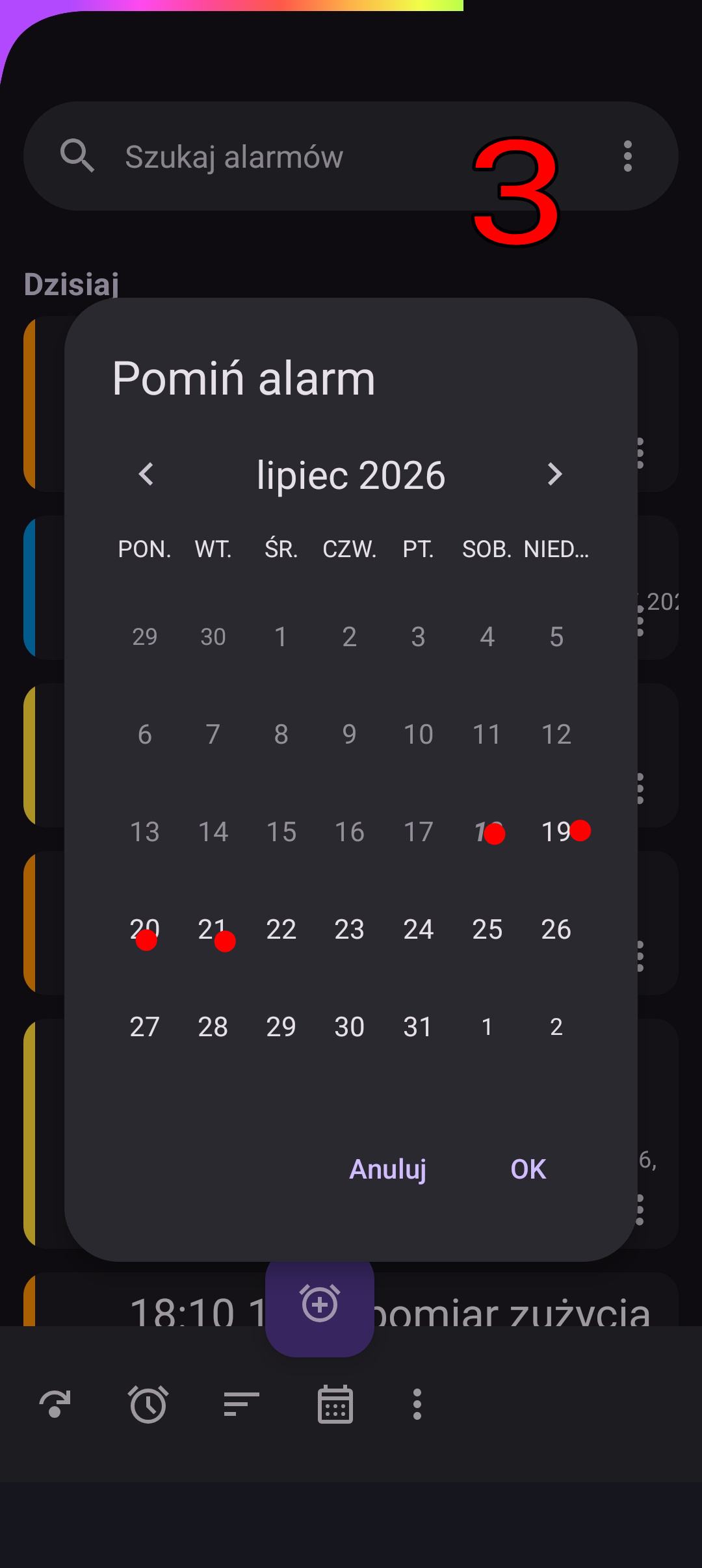
  2. Na liście klikam w “Pomiń alarm” (fot. 2)

  3. Widzę kalendarz na lipiec, klikam w 18, 19, 20, 21 lipca, ale nic się nie podświetla (?) (fot. 3)

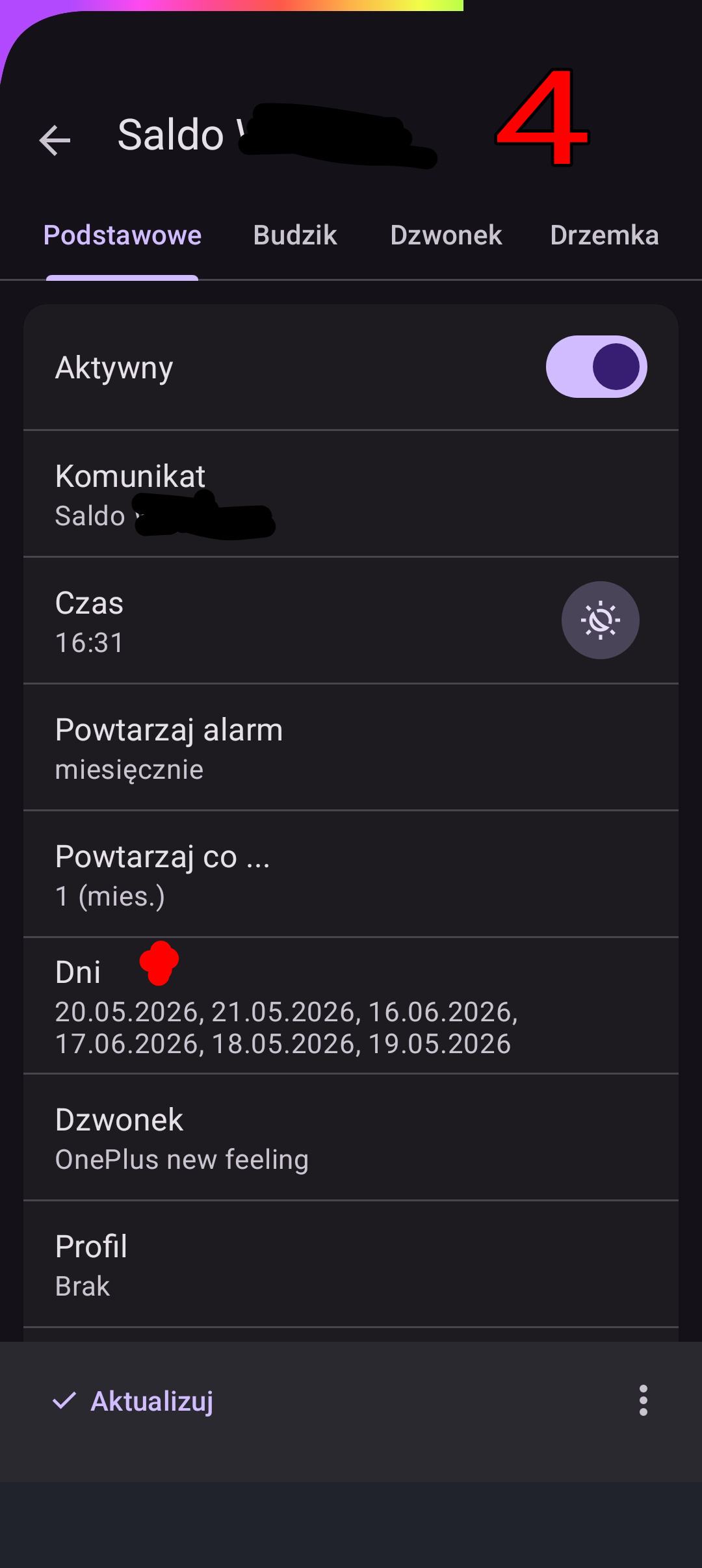
  4. Wychodzę stamtąd, klikam w ten alarm i będę edytował jego ustawienia. Klikam w “Dni” (fot. 4)

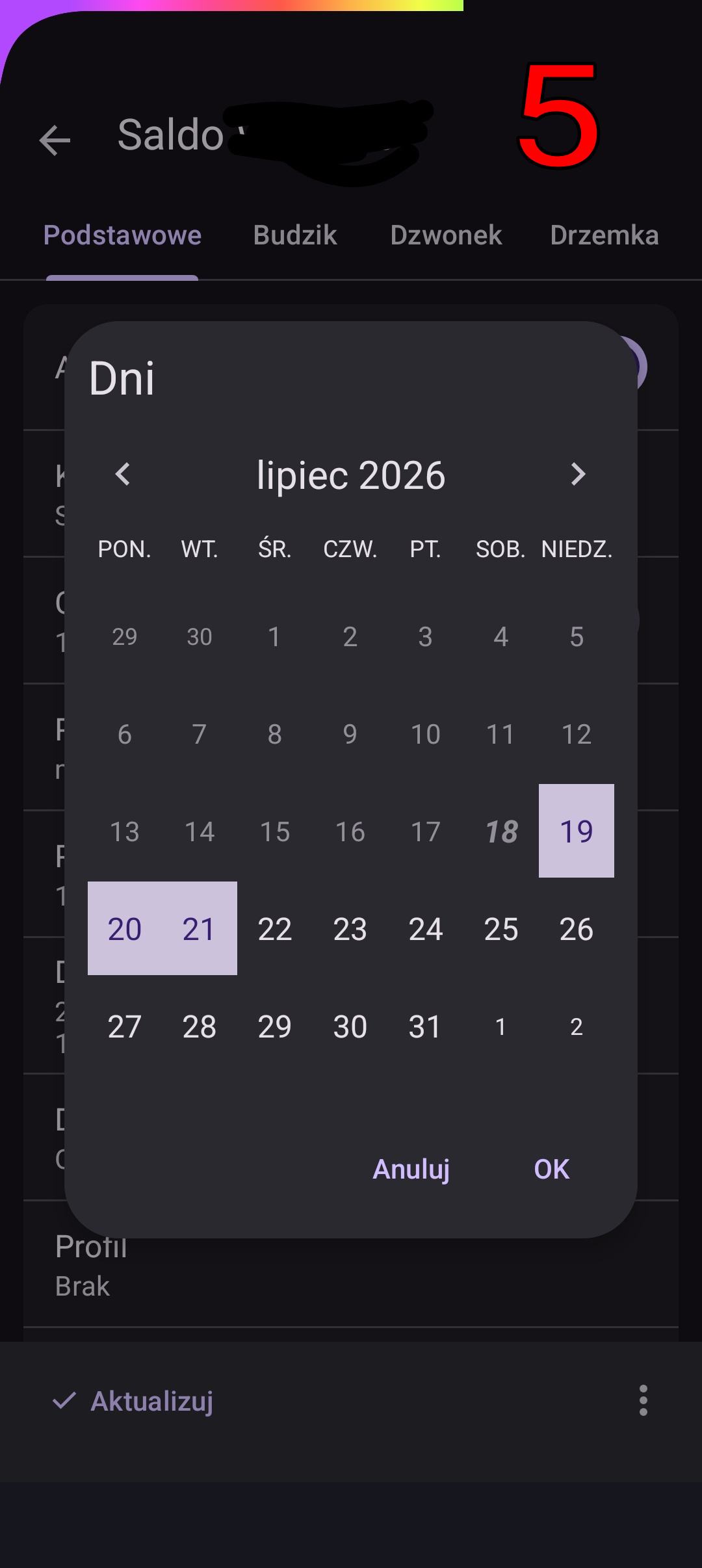
  5. W widoku kalendarza na lipiec chcę usunąć 18 lipca, ale nie mogę, bo go nie ma (?) - klikam 19, 20, 21, ale nic się nie dzieje (?) (fot. 5)

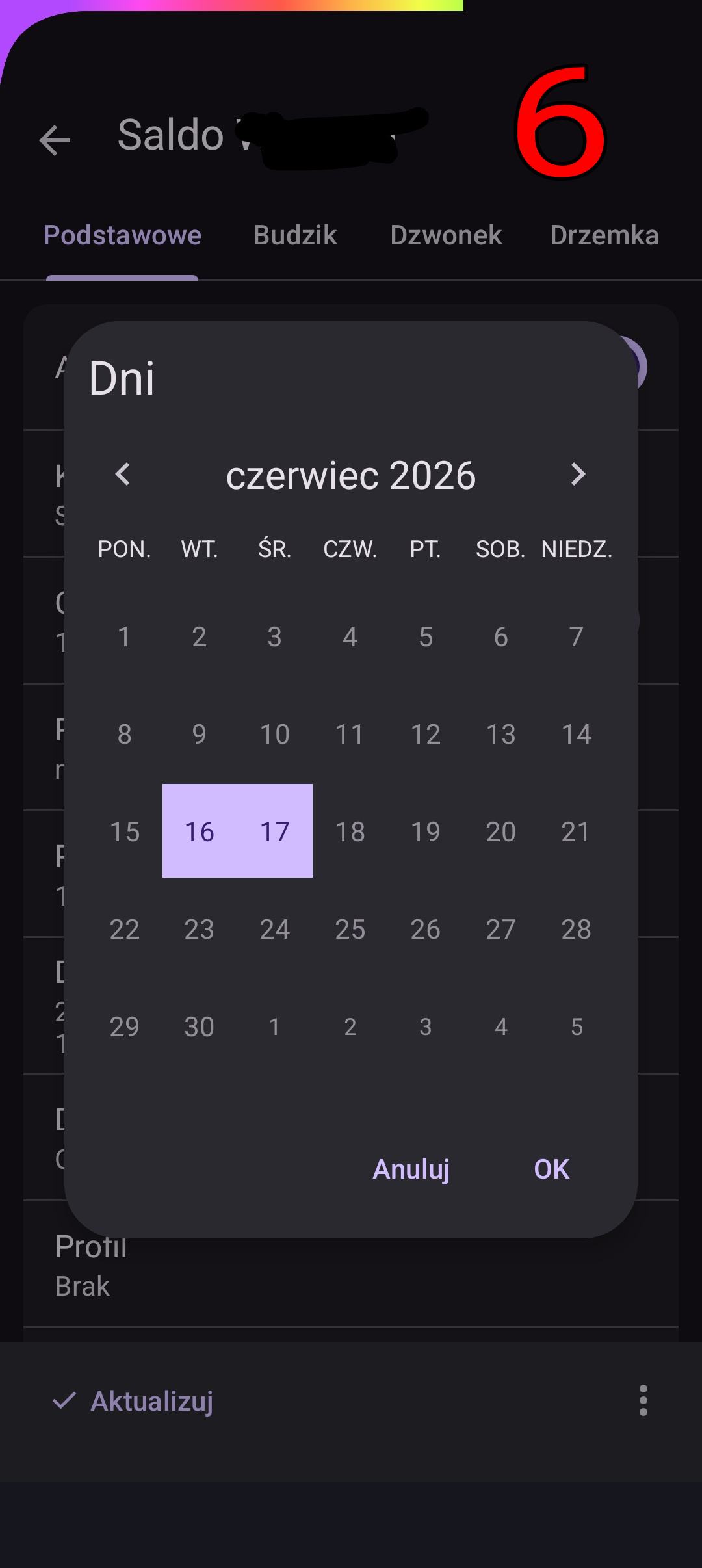
  6. Cofam kalendarz do czerwca i 16 oraz 17 już mogę usunąć, bo mają inny kolor i są AKTYWNE , ale przecież DZIŚ JEST LIPIEC !!!(fot. 6)

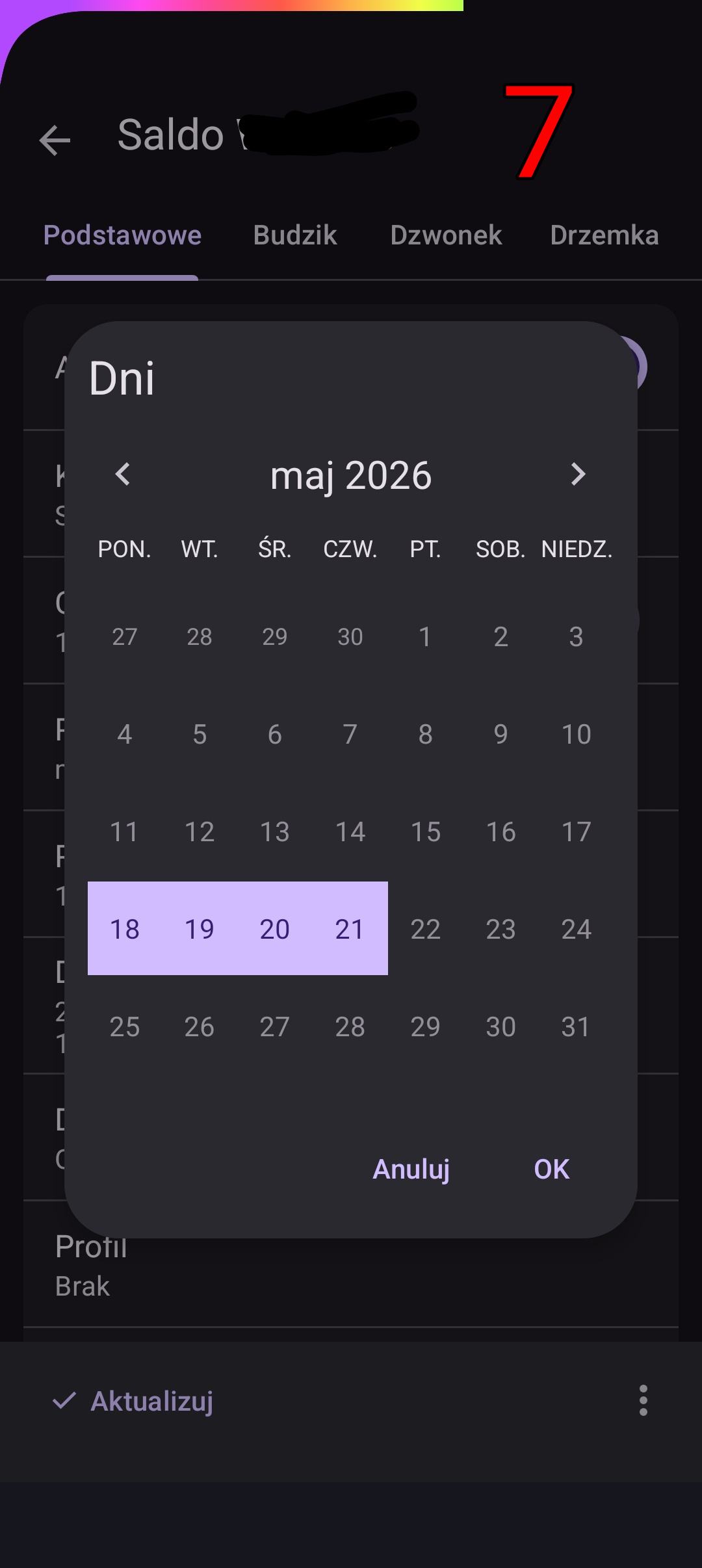
  7. Cofam kalendarz do maja i widzę AKTYWNE alarmy 18-21 MAJA, ale przecież DZIŚ JEST LIPIEC !!! (fot. 7)

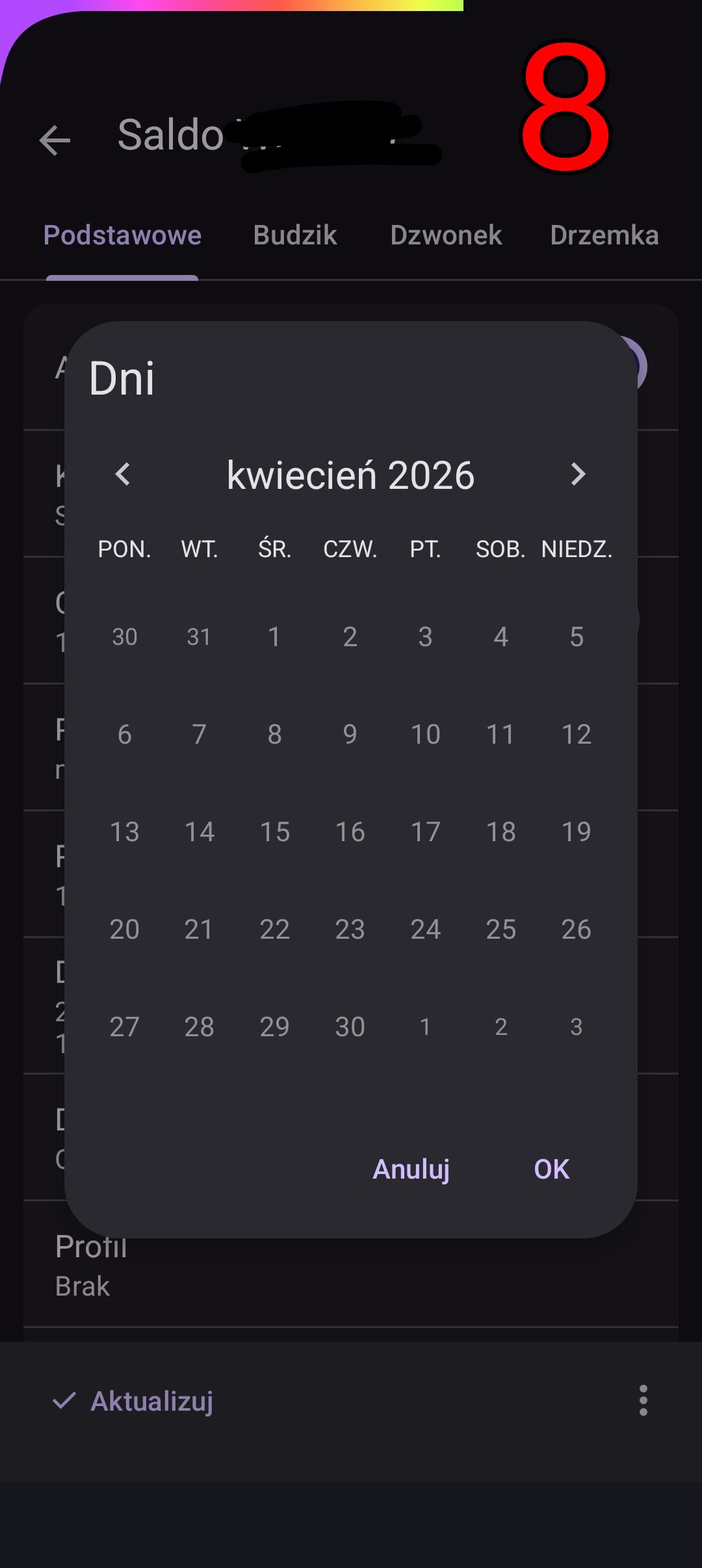
  8. Sprawdzam jeszcze kwiecień - tu jest ok (fot. 8).

Aby naprawić ten alarm muszę usunąć 18-21 maja, potem usunąć 16-17 czerwca, nastepnie ustawić 18-21 lipca, oraz 16-17 sierpnia. Wtedy alarm będzie powtarzany 16-21 co 1 miesiąc!!!

Proszę dewelopera o analizę i naprawę problemu.

English translation:

Let me show you what it looks like on a real alarm.

This is a recurring alarm at 4:31 PM on July 18th, “Saldo W…”. It’s set to “every 1 month,” from the 16th to the 21st.

The description applies to July 18th, around 2:00 PM. I want to skip TODAY’s 4:31 PM alarm NOW!

  1. In the alarm list (photo 1), I click the 3 dots.

  1. In the list, I click “Skip alarm” (photo 2).

  1. I see the calendar for July, so I click July 18th, 19th, 20th, or 21st, but nothing is highlighted (?) (photo 3).

  1. I exit, click this alarm, and I’ll edit its settings. I click “Days” (photo 4)

  1. In the July calendar view, I want to delete July 18th, but I can’t because it’s not there (?) - I click 19th, 20th, 21st, but nothing happens (?) (photo 5)

  1. I roll back the calendar to June, and I can delete the 16th and 17th because they have a different color and are ACTIVE, but TODAY IS JULY!!! (photo 6)

  1. I roll back the calendar to May, and I see ACTIVE alarms for MAY 18th-21st, but TODAY IS JULY!!! (photo 7)

  1. I check April again - it’s OK (photo 8)

To fix this alarm, I need to delete May 18th-21st, then delete June 16th-17th, then set July 18th-21st, and August 16th-17th. The alarm will then repeat every month from 16th to 21st!!!

Please have the developer analyze and fix the problem.

The photo shows a screenshot from the “SQLite Editor” application, showing the “Saldo W…” alarm.

Best regards

Sprawdzę i usprawnię to. Ukończyłem pierwszą wersję aplikacji na platformę iOS i w trakcie przepisywania wyszło kilka rzeczy i usprawnień.

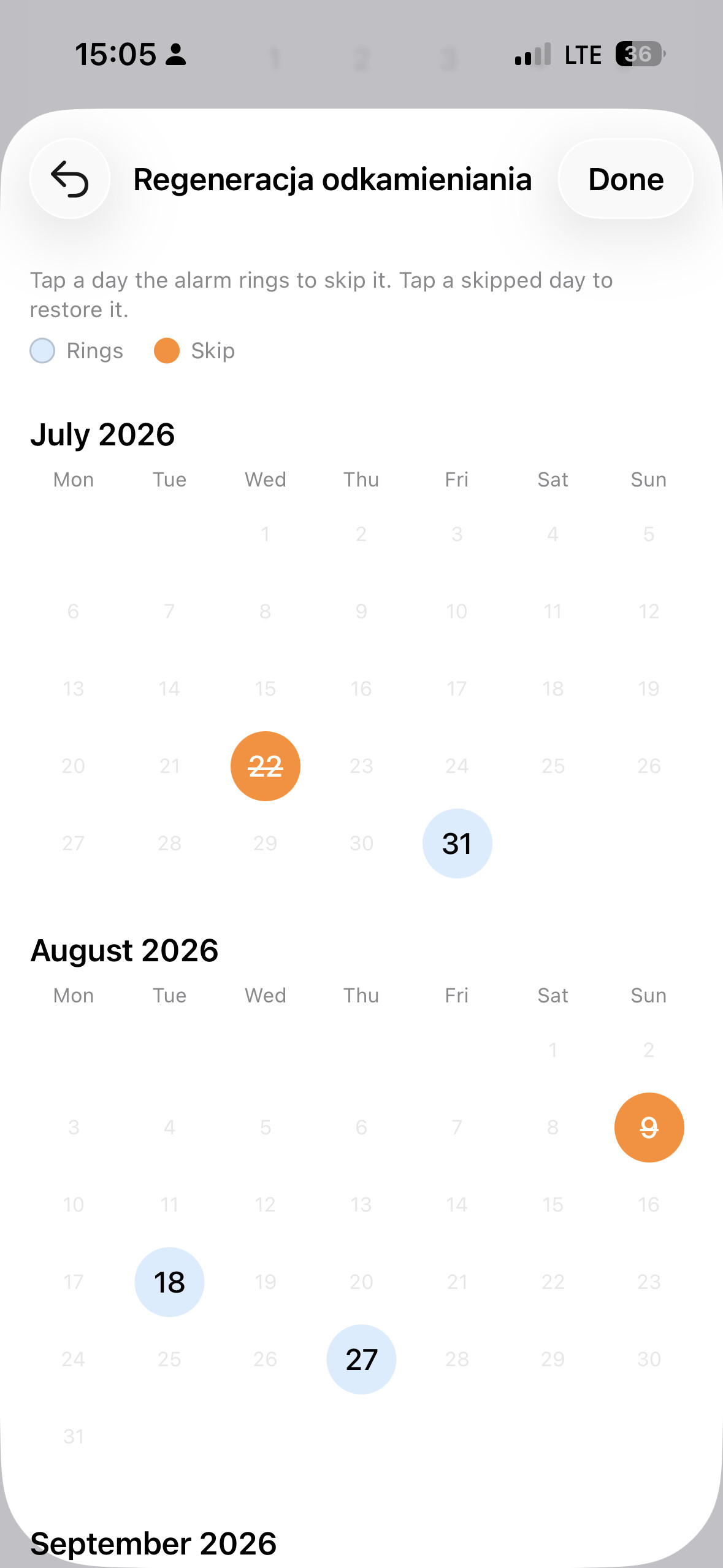
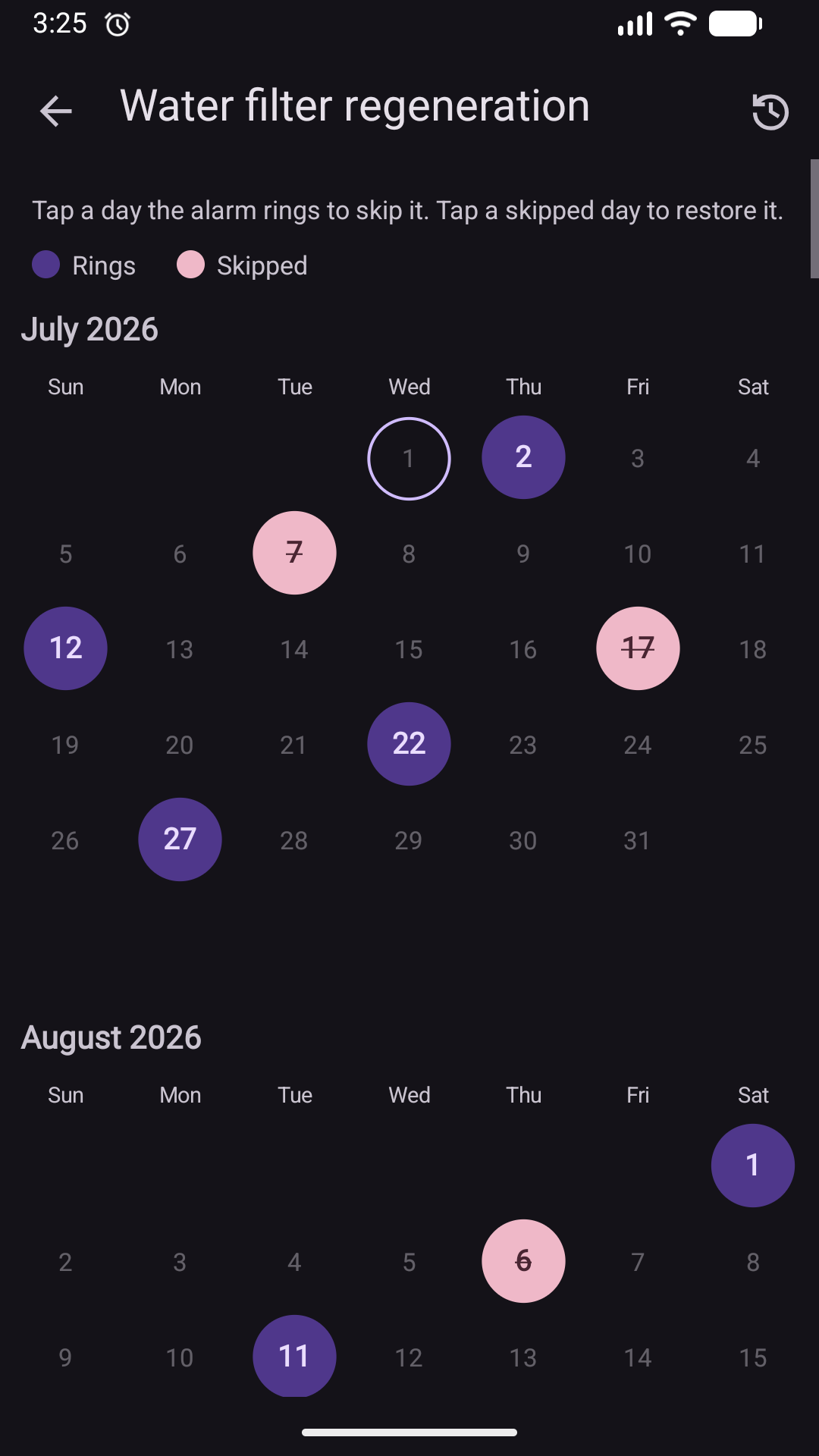
Przy okazji usprawniłem dialog do pomijania alarmów - teraz w końcu będzie widać kiedy alarmy są pomijane (uwaga, screen jest z wersji iOS, na Android jeszcze nie wprowadzałem zmian).

Changes were made in 15.10 app version - I have to say I really like these new views :smiley:.